


Best Pilates App Australia
If you are searching for the best Pilates app in Australia, I should tell you up front that I am biased. I work at FitBoutique and we built one. So rather than pretend to be neutral, I am going to do the more useful thing, which is tell you exactly what separates a Pilates app worth paying for from one you will stop opening in a fortnight, and then show you how ours measures up against that list.
Use the checklist on any app you are considering. If ours does not pass it for you, you will at least know what to look for elsewhere.
In this article
What actually matters in a Pilates app
Most people choose an app by scrolling the class library and picking the one with the most videos. That is the wrong measure. A huge library you never finish is worth less than a small one you actually follow. These are the 6 things I would check before handing over a card.
Real instructors who cue, not just demonstrate. Watching someone move is not the same as being taught. A good class tells you where to breathe, what should be working, and what to fix before you notice it is wrong. If the instructor is silent and there is music over the top, you are watching a workout, not taking one.
Classes for the equipment you actually own. Mat only apps are fine if you only own a mat. If you have a reformer, a mat class leaves the most valuable thing in your house sitting unused.
A range of lengths. The sessions you do on a bad day are the ones that build the habit. You need short classes as much as long ones, and an app with nothing under 30 minutes will lose you on the first busy week.
Structure, not just a library. Programs and plans decide what you do next so you do not have to. Without them most people repeat the same 3 favourite classes until they get bored.
A big screen option. You cannot follow a class on a phone that is lying flat on the floor beside you. Casting or a TV app is not a luxury feature, it is the difference between following along and guessing.
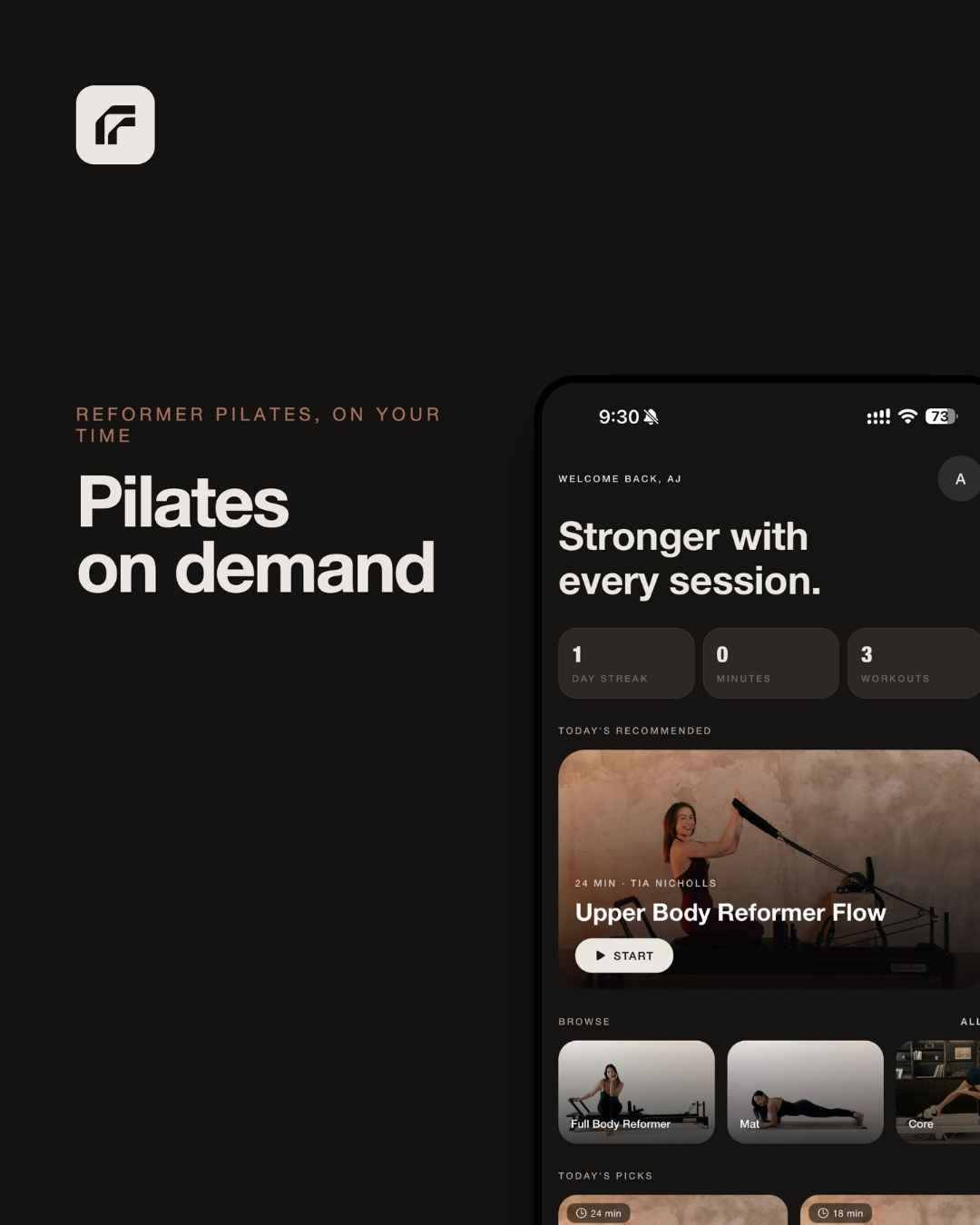
Progress you can see. Streaks, minutes and classes completed sound trivial. They are not. Seeing 3 weeks unbroken is a surprisingly strong reason not to break it.
Why reformer owners need a different app
The reformer has something a mat does not, which is adjustable resistance. That changes what a class needs to give you.
On a mat, the instructor can just tell you the exercise. On a reformer, they also need to tell you the spring setting, when to change it, and how the movement should feel at that load. Without spring cues you end up guessing, and most people guess too light because it feels smoother. If you want the detail on what each setting does, our guide to Pilates reformer spring settings covers it properly.
Reformer classes also need to account for transitions. Moving from footwork to straps to kneeling work takes time, and a class built for a studio full of people assumes an instructor is walking the room. At home it is just you, so the pacing has to leave room for you to change position without missing the next set.
This is the main reason we built our own. Our customers kept telling us they owned a beautiful machine and had nobody telling them what to do on it.
What is inside the Fit app
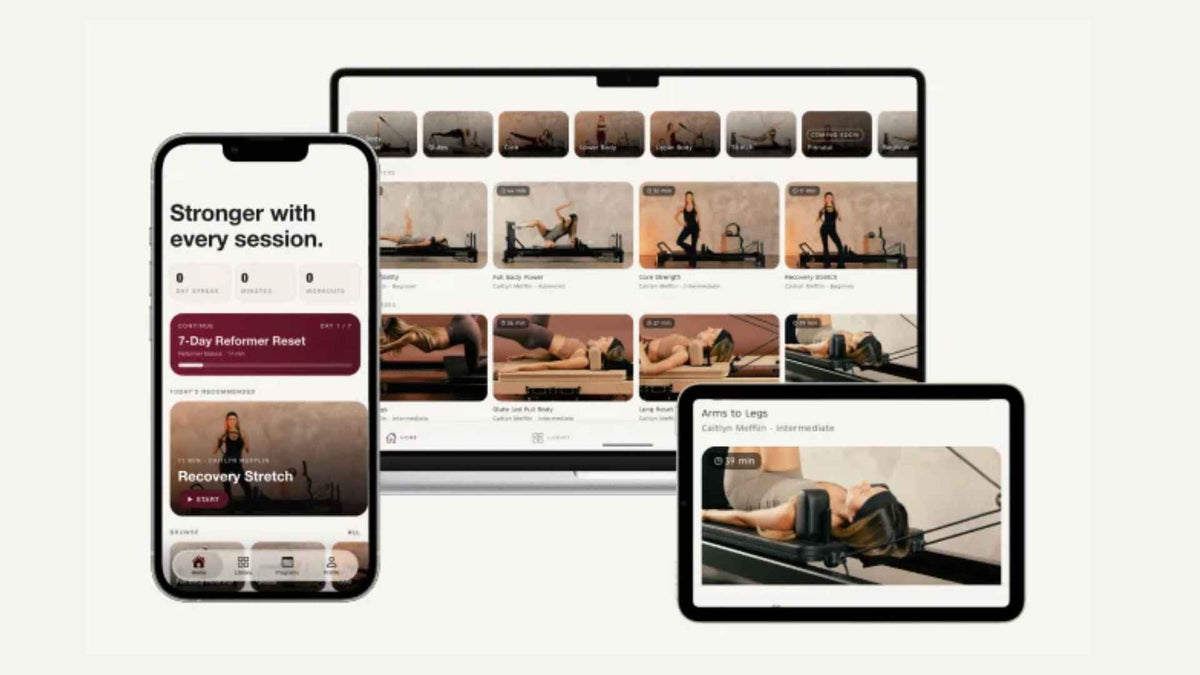
Fit by FitBoutique is our Pilates app, built by the same Melbourne team behind our reformers. Here is what you get, measured against the list above.
Real instructors, cueing reps and spring changes. Classes are taught by working Pilates instructors who demonstrate every movement and tell you when to change your springs. The roster includes Stephanie Elliott for core and HIIT, Phoebe Zhang for flexibility and coordination, Tia Nicholls for reformer strength and conditioning, and Caitlyn Mefflin for advanced, controlled movement, with more instructors joining.
Reformer, mat and yoga in one place. Reformer classes for when you are on the machine, mat classes for when you are not, and yoga for the days you need to move without loading anything.
Short sessions and full classes. Everything from 10 minute resets to full length classes, sorted into categories including Full Body Reformer, Glutes, Core and Lower Body.
Programs that decide for you. The 28 Day Reformer Reset gives you a structured month with a clear weekly plan, and you can set your own workouts with optional recommendations if you would rather build your week yourself.
Progress tracking. Your streak, minutes and classes completed, so you can see the momentum building.
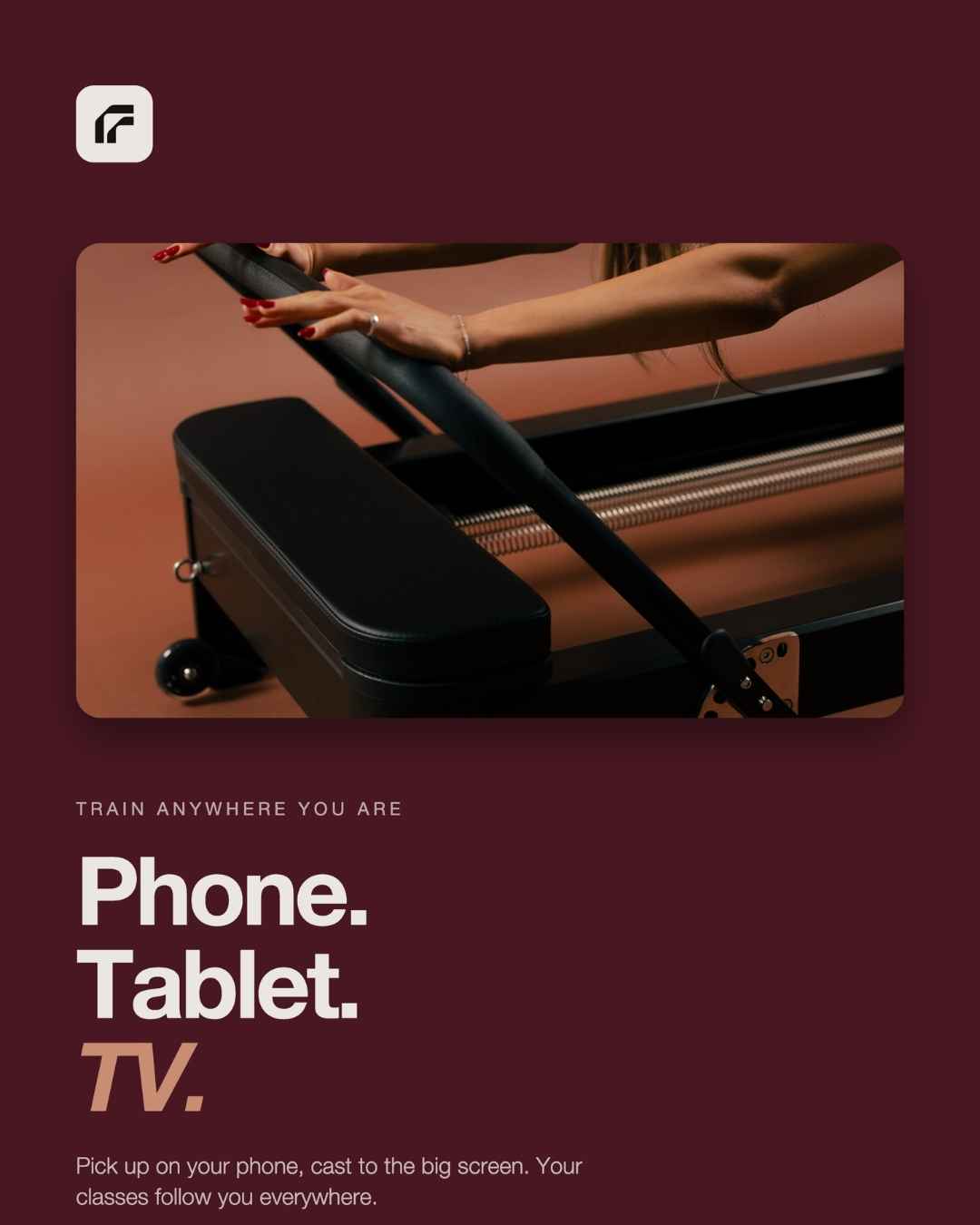
Phone, tablet and TV. Available on iPhone, iPad, Apple TV and Android TV, with casting to your TV and classes that resume where you left off if you get interrupted.
Fit by FitBoutique
Try every class free for 7 days
Start your 7 day free trial and take the 28 Day Reformer Reset, a 10 minute reset, or a full length class on your phone, tablet or TV. After the trial it is $19 a month or $199 a year, and you can cancel any time before it ends.
Start Your Free TrialHow to set up your space for app classes
The single biggest improvement you can make to an app workout costs nothing. It is where you put the screen.
- Put the screen at the foot end. Most reformer work happens lying on your back with your head at the headrest end. A screen at the foot end of the machine, raised to roughly the height of the footbar or above, sits in your eyeline without you lifting your head.
- Go big where you can. A TV or a tablet on a stand beats a phone every time. If you only have a phone, prop it upright at the foot end rather than flat beside you.
- Get the audio right. You will be facing away from the screen for some exercises, so the cues matter more than the picture. A speaker or earbuds means you can follow without twisting to look.
- Clear the springs before you press play. Know where your spring bar is and practise changing a setting once, so the first change in class does not cost you the next set.
- Keep your accessories within reach. Box, mat and any weights should be beside the machine, not in another room, so a class that calls for them keeps moving.
Getting the most out of any Pilates app
Apps fail for a predictable reason. People open them with good intentions, scroll for 5 minutes, cannot decide, and do nothing. Remove the decision and you remove most of the failure.
Pick a program before you pick a class. A program means tomorrow is already chosen. If you are starting out, a structured month like the 28 Day Reformer Reset is far more likely to stick than a library you browse each day.
Schedule the short ones too. Plan 2 or 3 full classes a week and accept that the other days might be 10 minutes. A 10 minute session on a bad day keeps the streak alive, and the streak is what turns into results. Our weekly reformer Pilates routine shows how to lay a week out.
Repeat classes on purpose. Doing the same class again a week later is not lazy. It is the only way to notice that the springs feel lighter or that you are no longer stopping halfway through a set.
Be honest about the springs. When the instructor gives a setting, treat it as a starting point. If the last 2 reps of a set are not hard, add load next time.
Who an app suits, and who it does not
An app suits you if you already own a reformer or a mat, you train better without a commute, and you are happy to be your own accountability with a bit of help from a streak counter. It is also very good for people who do studio classes some weeks and need something to fill the gaps.
It suits you less if you are brand new to Pilates and nervous about technique, or if you are coming back from an injury and need someone watching your form in person. In those cases a few studio or private sessions first will make every app class afterwards more useful. If you are weighing it up, our piece on doing Pilates without an instructor is worth a read.
If you do not own a reformer yet and want to know what training at home with classes looks like, reformer classes at home walks through it, and our full reformer range is all in one place.
A Note From Ayrah
The thing that made me actually use a Pilates app was not a better class. It was moving my tablet.
For weeks I had it flat on the floor next to the reformer. Every time I lay down I lost sight of it, so I would sit up mid set to check what was next, lose my rhythm, and give up 20 minutes in.
I moved it to a stand at the foot end, about level with the footbar, and the whole thing changed. I could see the instructor from the carriage, I stopped sitting up, and I started finishing classes.
If you have tried an app before and drifted off it, check where the screen was before you blame the app.
Frequently Asked Questions
What is the best Pilates app in Australia?
The best one is the one that matches your equipment and that you will actually open. Look for real instructors who cue rather than just demonstrate, classes for the equipment you own, a range of class lengths, programs that plan your week, a TV option and progress tracking. Fit by FitBoutique was built to tick all 6, with reformer, mat and yoga classes and a 7 day free trial.
Is there a Pilates app made for reformers?
Yes. Fit by FitBoutique includes reformer classes taught by working instructors who cue spring changes as well as movements, which is the main thing a general fitness app misses. It also has mat and yoga classes for days off the machine.
Does the Fit app have a free trial?
Yes. You get 7 days free with access to every class and program. After that it is $19 a month or $199 a year, and you can cancel before the trial ends.
Can I watch Pilates app classes on my TV?
Fit by FitBoutique runs on Apple TV and Android TV and you can cast from your phone or tablet. For reformer work a bigger screen at the foot end of the machine makes classes much easier to follow.
Can I do the app without a reformer?
Yes. The app includes mat Pilates and yoga classes that need nothing more than a mat, so you can start there and add reformer classes if you get a machine later.
Is an app as good as a studio class?
For people with some experience and a reformer at home, an app gets you most of the way there for far less per session. What it cannot do is watch your form and correct you in person, so if you are brand new or working around an injury, a few in person sessions first are worth it.
How long are the classes?
They range from 10 minute resets to full length classes, so there is something for a busy day as well as a proper session.
Your Studio, Anywhere
Reformer, mat and yoga classes from real instructors on your phone, tablet or TV. Start with 7 days free.
Start Your Free Trial
Written by Ayrah Yuso
I'm part of the FitBoutique team and have a solid passion (and love) for all things exercise related, including Reformer Pilates
















Leave a comment